30 Cardboard Photoshop Brushes 1: Enhancing Creativity with High-Resolution Textures
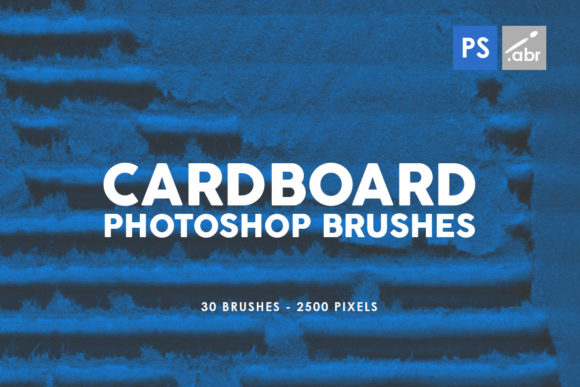
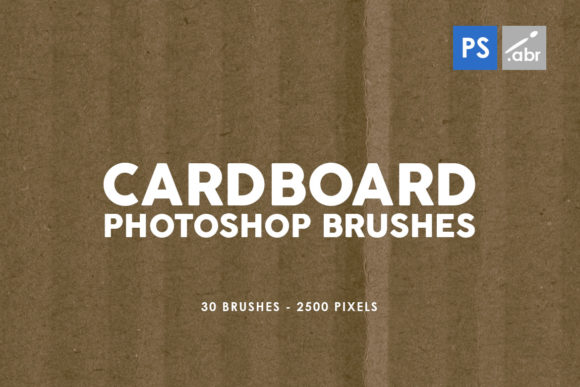
Whether you're a professional designer, an artist, or a hobbyist looking to elevate your digital projects, having the right tools can make all the difference. One such tool that stands out in the world of Photoshop is 30 Cardboard Photoshop Brushes 1. This collection of 30 high-resolution cardboard and paper texture brushes offers a versatile solution for adding depth, realism, and unique visual effects to your work. Designed for use in Photoshop CS2 through CC, these brushes are compatible with all versions of Adobe Photoshop, making them accessible to a wide range of users.
Understanding the Value of Cardboard Texture Brushes
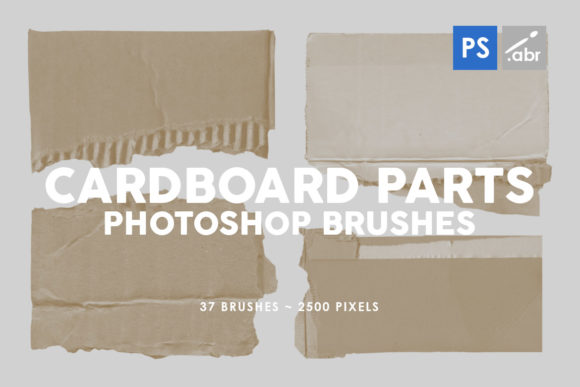
Cardboard and paper textures are essential elements in digital art, graphic design, and photo manipulation. They can be used to simulate aged documents, create vintage effects, or add tactile realism to digital illustrations. However, finding the right textures that match the desired aesthetic can be challenging. Many artists rely on stock images or manually created textures, which may not always provide the quality or consistency needed for professional work.
30 Cardboard Photoshop Brushes 1 solves this problem by offering a curated set of brushes that are specifically designed for use in Photoshop. Each brush is 2500 pixels in size, ensuring high resolution and clarity even when scaled up. This makes them ideal for both small-scale details and large-format designs.
How These Brushes Can Help You Achieve Your Goals
If you're working on a project that requires a tactile, organic feel, these brushes can help you achieve that without the need for complex layering or manual texturing. Whether you're designing a poster, creating a game asset, or enhancing a photograph, the ability to quickly apply realistic cardboard or paper textures can save time and improve the overall quality of your work.
For example, if you're designing a packaging concept, using these brushes can give your mock-up a more authentic look by simulating the texture of cardboard boxes. Similarly, if you're working on a digital painting that needs a weathered or aged appearance, applying these brushes as overlays can instantly transform the mood and atmosphere of your piece.
These brushes are also incredibly useful for digital photo manipulation. By blending them with photographs, you can create interesting effects like torn edges, creases, or faded paper backgrounds. The versatility of these brushes means they can be applied in countless ways, depending on your creative vision.
Practical Applications and Creative Uses
The applications of 30 Cardboard Photoshop Brushes 1 extend beyond traditional graphic design. Game developers, for instance, can use these brushes to create realistic environmental textures or character props. Artists working on mixed-media compositions can incorporate these brushes to blend digital and physical elements seamlessly.
Another popular use is in the creation of collage-style artwork. By combining different textures and layers, you can build complex compositions that mimic real-world materials. These brushes allow for easy experimentation with different combinations, encouraging a more exploratory approach to design.
Additionally, educators and students in digital arts can benefit from using these brushes as part of their learning process. They provide an excellent way to understand how textures interact with color, light, and form, helping learners develop a deeper appreciation for material simulation in digital environments.
Tips for Getting the Most Out of These Brushes
To ensure you get the best results from 30 Cardboard Photoshop Brushes 1, it's important to experiment with different blending modes and opacity settings. For instance, using the "Multiply" blending mode can help integrate the texture more naturally with your base image, while adjusting the opacity allows for subtle or dramatic effects depending on your needs.
Layering multiple brushes can also produce more complex textures. Try combining a rough cardboard brush with a smoother paper texture to create a layered, dimensional effect. Don't be afraid to play with contrast and color balance to enhance the visual impact of your textures.
It's also worth noting that these brushes are highly customizable. You can modify their shape, size, and hardness to suit specific projects. This flexibility ensures that whether you're working on a minimalist design or a detailed illustration, you have the tools to achieve the look you want.
Who Can Benefit from Using These Brushes?
30 Cardboard Photoshop Brushes 1 is suitable for a wide range of users, including:
- Graphic designers looking to add realistic textures to their projects.
- Photographers who want to enhance their photos with creative overlays.
- Game developers needing high-quality environmental assets.
- Artists exploring new techniques in digital painting and illustration.
- Students and educators seeking practical tools for learning and teaching digital art.
Each of these groups can leverage the versatility of these brushes to meet their specific creative goals. Whether you're aiming for a vintage aesthetic, a modern look with tactile elements, or something entirely unique, there's a way to use these brushes effectively.
Ultimately, 30 Cardboard Photoshop Brushes 1 is more than just a collection of textures—it's a powerful resource that can inspire creativity, streamline workflows, and elevate the quality of your digital projects. With its compatibility across all Photoshop versions and high-resolution format, it's an invaluable addition to any designer's toolkit.